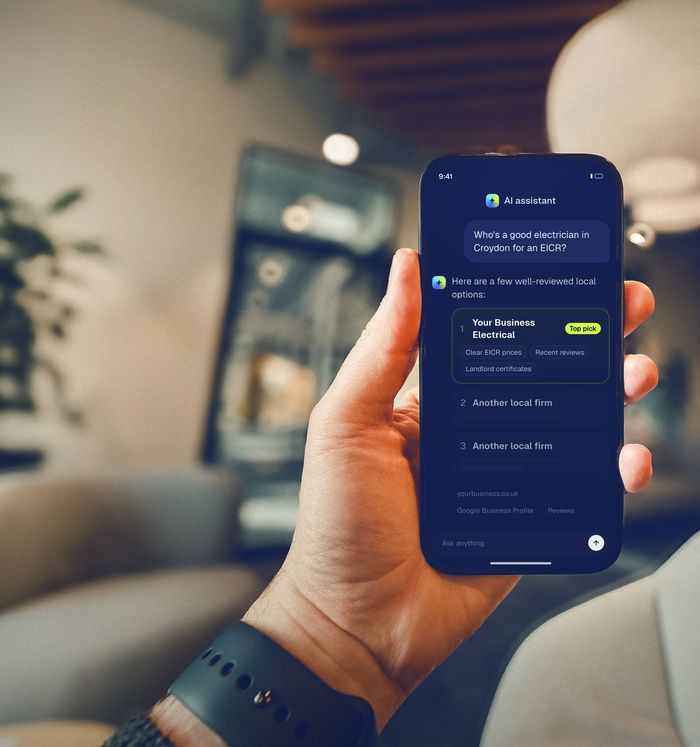
Your Google Business Profile is the listing Google Maps, Google Search, AI Overviews and Gemini lean on when someone asks for a local electrician. Use your real trading name, set Electrician as your primary category, hide your home address and list up to 20 service areas, add every service with a short description, write a plain 750-character description, upload real photos, and reply to every review. Then check it monthly, because anyone can suggest edits.
Why your Google Business Profile matters more than ever
When someone types “electrician near me” into Google, the map results come from Google Business Profiles. Increasingly, the AI answers do too: Google’s AI Overviews and Gemini draw on the same local business information when they suggest who to call. Google says AI Overviews now have more than 2.5 billion monthly users.
It also matters when people use other AI tools. In Yext’s 2026 UK study, 49% of people who found a business through AI went on to check it on Google or Bing before getting in touch. Your profile is often the second impression as well as the first.
The profile is free, but having one isn’t the same as having a finished one. Work through this checklist with your profile open in another tab (search for your business name on Google while signed in, or go to business.google.com).
The checklist
1. Business name: your real trading name, nothing else
Use the name on your van, invoices and signage, exactly. Google’s guidelines say your name should reflect your real-world business name, and adding extra keywords or locations (“Smith Electrical – Emergency Electrician Croydon 24/7”) isn’t allowed. It can get your profile suspended, and it makes you look less trustworthy, not more.
2. Primary category: Electrician
Your primary category is one of the strongest signals for which searches you appear in. For almost every electrical contractor, that should be Electrician. Add a few secondary categories only if they’re genuinely true of your business; start typing “electric” and Google will suggest options. Don’t add categories for work you don’t do.
3. Address and service areas
Most electricians are what Google calls a service-area business: you go to the customer, they don’t come to you. If customers don’t visit your address, Google says you should remove it from your profile (your home address stays private) and set service areas instead.
- You can add up to 20 service areas: towns, cities, postcode districts or other named areas.
- Google says your overall area generally shouldn’t extend beyond about two hours’ drive from your base.
- List the places you actually want work in, not the whole county “just in case”.
If you have a staffed premises with permanent signage that customers can visit, you’re a hybrid business and can show the address and set service areas.
4. Phone number and website
Use the number you actually answer, ideally the same one that appears on your website and directory listings. Link to your website’s home page or, if you have one, a page specific to the area or service. If you don’t have a website, get one: your profile is far more convincing when it links somewhere that confirms who you are.
5. Hours, including holidays
Set your normal hours and add special hours for bank holidays and Christmas. If you genuinely offer emergency call-outs, make that clear in your services and description. Don’t set 24-hour opening unless someone really answers the phone at 3am.
6. Services: list every one, with a line each
The services section is where most profiles are thin. Add every service you offer, using Google’s suggestions where they fit and custom services where they don’t, with a short description each. A typical list might include:
- EICRs (Electrical Installation Condition Reports) for landlords and homeowners
- Consumer unit (fuse board) replacements
- Full and partial rewires
- EV charger installation
- Fault finding and repairs
- Lighting, sockets and extensions
- Smoke and heat alarms
- Commercial electrical work and testing
This is exactly the information an AI assistant needs to match you to a question like “who can replace a fuse board in Sutton?”. Only add prices if you’re confident they’re accurate.
7. Business description: 750 characters, written for people
You get up to 750 characters. Say who you are, what you do, where you work and why people should call you. Mention your registration scheme (NICEIC, NAPIT, etc.) if you’re registered, how long you’ve been trading, and the kinds of jobs you do most. Google’s guidelines say the description mustn’t include links of any kind or focus on prices, promotions or sales, and you should avoid hype and keyword lists.
An example structure:
[Business name] is a [NICEIC-registered] electrician based in [town], covering [main towns]. We carry out EICRs, consumer unit upgrades, rewires, EV charger installs and fault finding for homeowners, landlords and local businesses. [Founder] has been an electrician for [X] years. Every job comes with the right certificate, a clear written quote first, and a tidy finish.
Only include facts that are true for you.
8. Photos: real work, real van, real people
Upload a logo, a cover photo, and a steady trickle of real photos: finished consumer units, tidy installs, your van, you and your team (if you’re happy to show faces). Real photos help customers trust you; stock photos don’t. Avoid photos showing customers’ addresses or personal details.
9. Reviews: ask, reply, repeat
Reviews are the biggest trust signal on your profile, for customers and for AI answers. In BrightLocal’s 2026 survey of US consumers, 97% said they read reviews, 47% said they won’t use a business with fewer than 20 reviews, and 80% said they’re more likely to use a business that responds to every review. (That survey was of US consumers.)
- Get your review link from your profile (“Ask for reviews”) and send it to every happy customer.
- Reply to every review, good or bad, politely and without customer details.
- Never buy, swap or write reviews. More in our guide to getting Google reviews the legal way.
10. Updates (posts)
You can publish short updates with a photo, such as a recent job, a seasonal reminder about EICRs for landlords, or a new service. They aren’t a magic ranking lever, but they show the profile is active and give customers something to look at.
11. Check it every month
Anyone can suggest edits to a business profile, and Google sometimes applies changes automatically. Once a month, check your name, hours, phone, website and categories are still right, and look at the Performance section to see calls, website clicks and the searches people used to find you.
Mistakes that cause problems
- Keyword-stuffed business names. Against the guidelines and a common cause of suspension.
- Showing a home address when customers don’t visit it. Remove it and use service areas.
- Duplicate profiles. One business, one profile. Ask Google to merge or remove duplicates.
- Virtual offices or PO boxes used to appear in a town where you have no real base. Not allowed.
- Different phone numbers on your profile, website and directories. Pick one and use it everywhere.
- Fake reviews. Illegal in the UK since April 2025 and against Google’s policies.
How this connects to AI search
AI assistants don’t only read Google. Copilot is built on Bing, and Apple Maps and Siri use Apple Business Connect. Once your Google profile is finished, copy the same details to Bing Places for Business (which can import from Google) and Apple Business Connect, then check your main directories match. Consistent details everywhere are what let an AI tool recommend you with confidence. There’s more on that in how to get recommended by ChatGPT.
Frequently asked questions
Is a Google Business Profile free?
Yes. Creating and managing a Google Business Profile is free. Be wary of calls claiming to be from Google that ask for payment to “verify” or “rank” your listing.
Should I show my home address on Google?
Not if customers don’t visit you there. Google’s guidelines say service-area businesses that don’t serve customers at their address should remove it and set service areas instead. Google still uses your address privately for verification.
How many service areas can I add?
Up to 20. Google also says your overall area shouldn’t generally extend beyond about two hours’ driving time from where you’re based.
Why has my profile been suspended?
Common causes include keyword-stuffed names, showing an address customers can’t visit, virtual offices and duplicate listings. Fix the cause first, then request reinstatement from your profile, with evidence such as a utility bill or business documents if asked.
Sources
- Google Business Profile Help, Guidelines for representing your business on Google.
- Google Business Profile Help, Manage your service areas.
- Yext, 2026 Consumer Search Behaviours: How UK Consumers Navigate Local Search in the Age of AI, June 2026 (UK sample of 600 consumers).
- Alphabet, Investor presentation, June 2026.
- BrightLocal, Local Consumer Review Survey 2026 (US sample of 1,002 adults).
- Competition and Markets Authority, Fake reviews guidance (CMA208), April 2025.